
Reduces Overconsumption of Clothing
This app's purpose is the help the current issue of SDG 12.5: Sustainably reduce waste generation through prevention, reduction, recycling and reuse.

Creates a Circular Economy
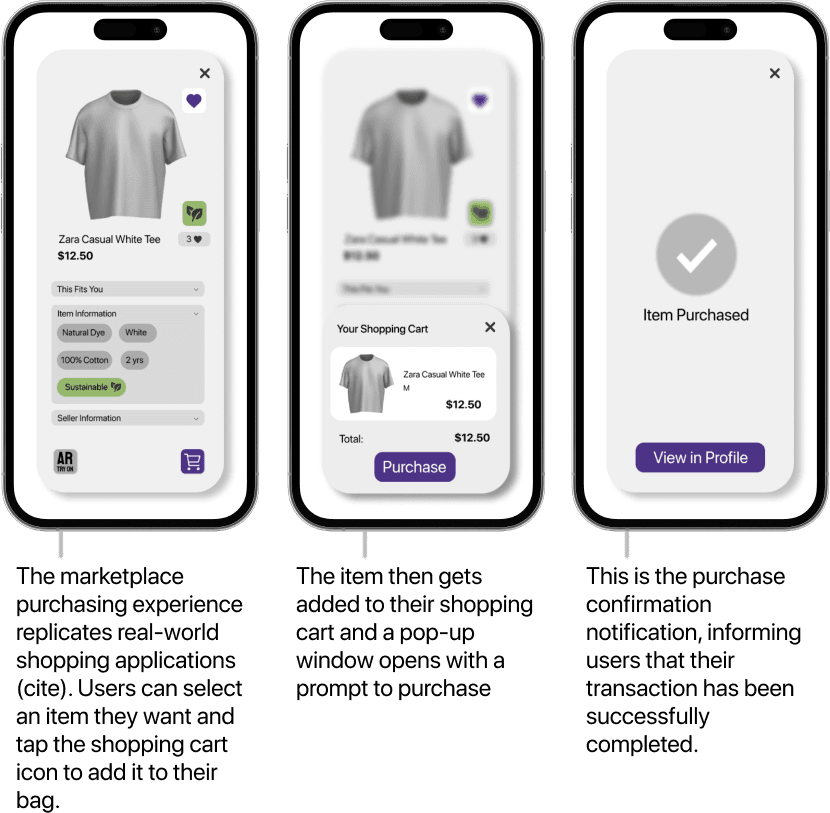
Users can discover new clothing second hand clothing through the marketplace where they can try on the clothing using AR to find the perfect fit before purchasing.
Expands User's Closet Experience
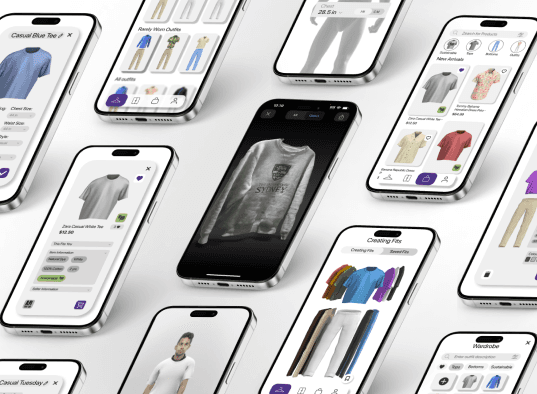
Using AR the users can add their existing clothing to a digital waredrobe which includes many features like: trying on clothes, creating outfits, testing sizing etc.
ZIRO
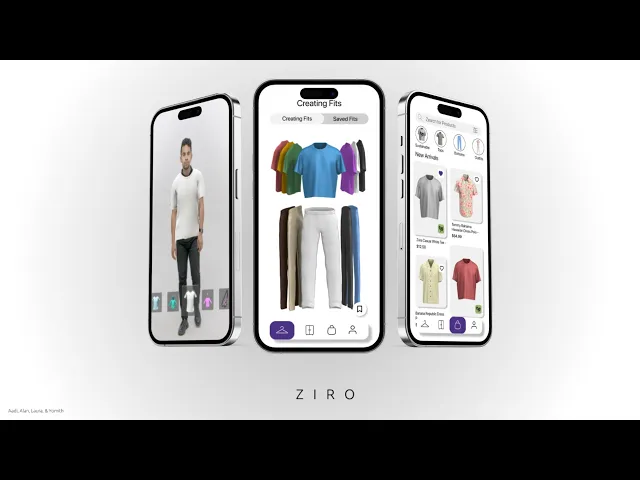
is an AR Wardrobe App with a Second Hand Marketplace
Self Try-On
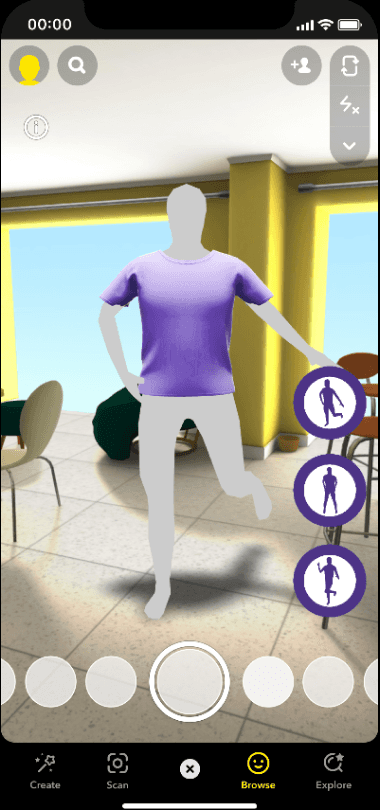
The self try-on is an augmented reality (AR) feature that allows users to virtually try on their 3D-modeled garments/outfits. Users can use their front camera to digitally ‘try-on’ each look.
Built in Lens Studio, the self try-on leverages body tracking to attach 3D clothing models to users' bodies. This is achieved by using a digital mannequin that serves as a framework, allowing the clothing to track body movement naturally.
Mannequin Try-On
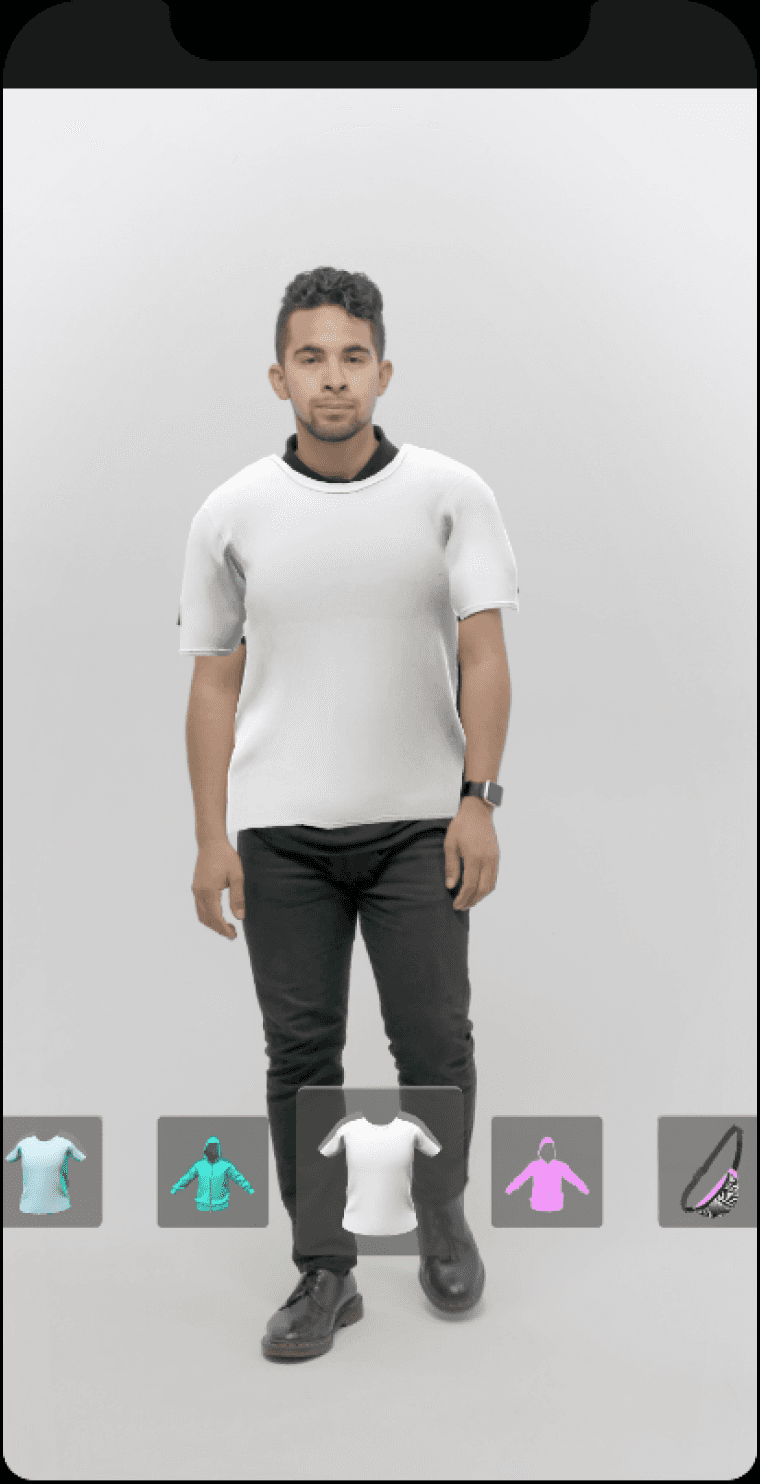
The mannequin try-on is an AR feature that displays 3D clothing outfits on a mannequin, scaled to the user’s measurements. Users can rotate and move the mannequin to view the outfit from all angles.
Using Lens Studio the feature attaches clothing items to a digital mannequin, with designated points for each joint, ensuring each garment is positioned correctly. A carousel function hides and reveals models based on the selected outfit, allowing for seamless transitions between items.
Clothing Scan
This feature enables users to scan their clothing items, creating a detailed 3D model that they can rotate, move, and inspect on their device.
Using Apple’s RealityKit API and the iPhone’s LiDAR scanner, this feature captures multiple images from different angles, processing them to form a high-quality 3D model that reflects depth and detail.
Market
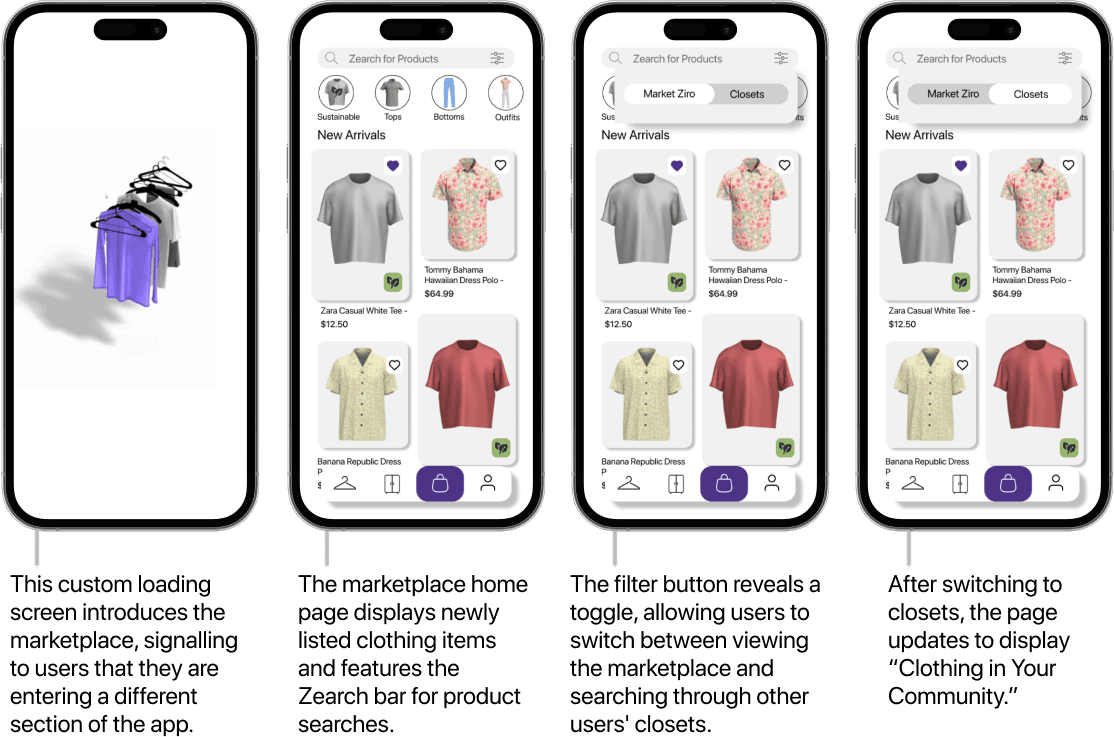
Users have access to a second hand market where they can list and buy clothing.
Market
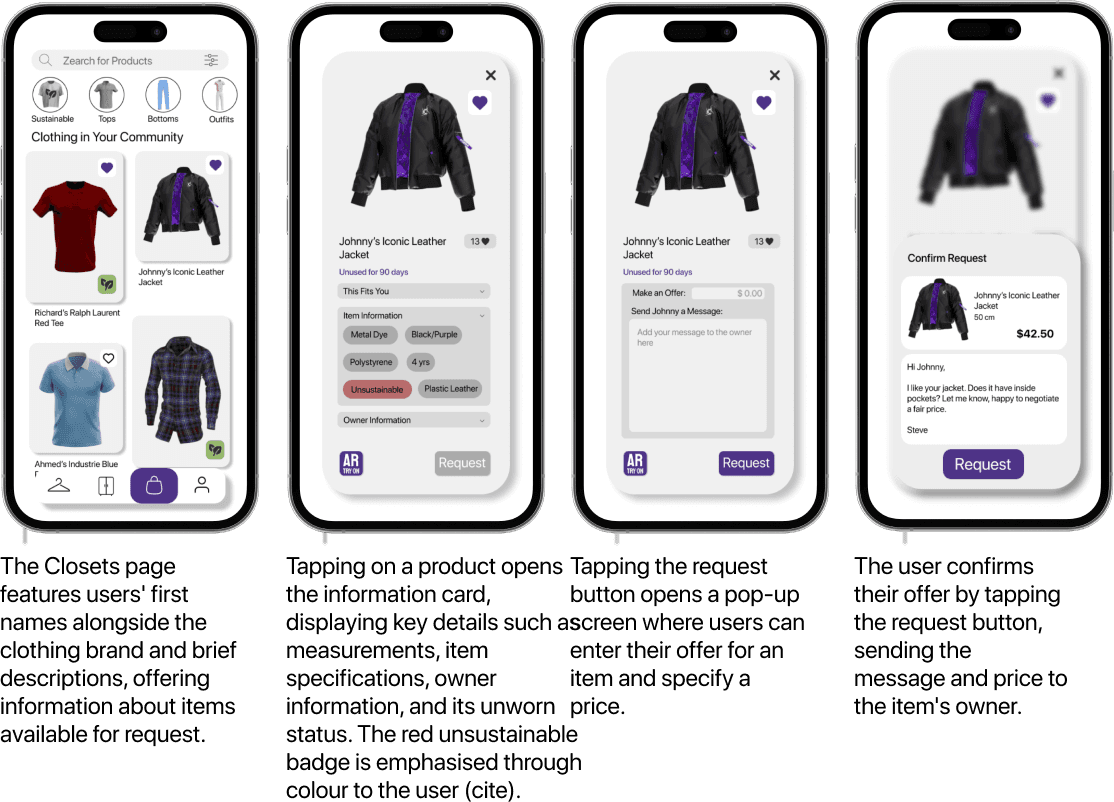
Users have access to a second hand market where they can list and buy clothing.
Market
Users have access to a second hand market where they can list and buy clothing.
Outfits
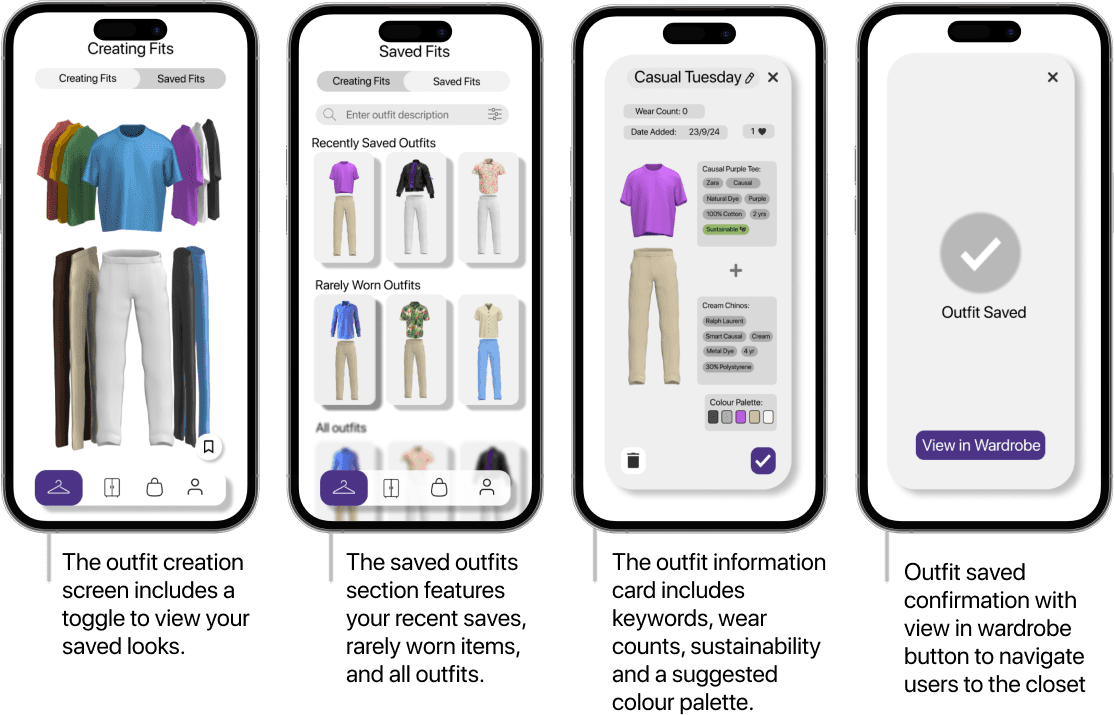
Users can create and save outfits.
Onboarding
Users start a simple tutorial the first time they enter the app to help them get started.
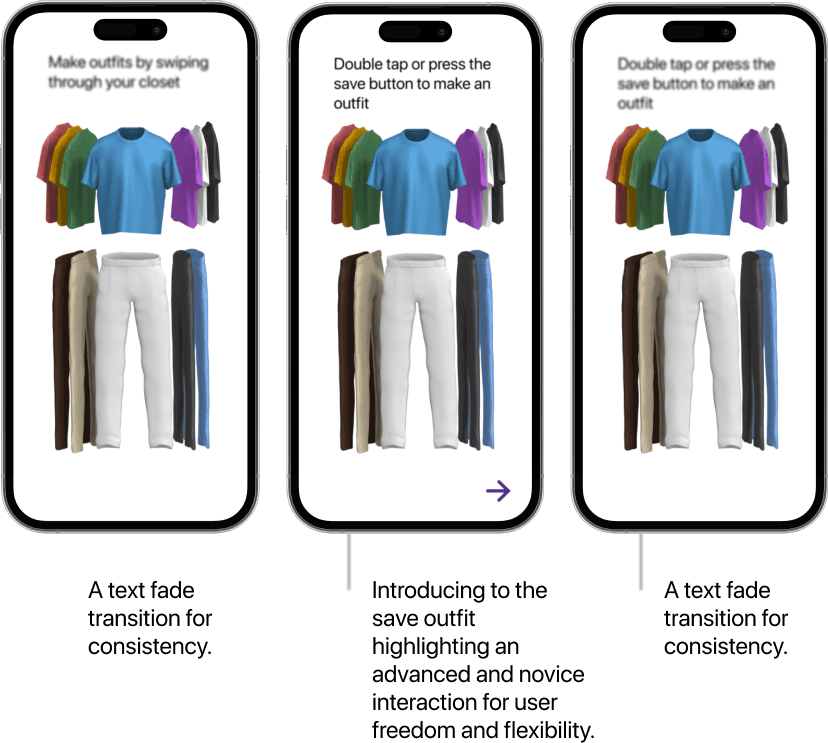
Onboarding
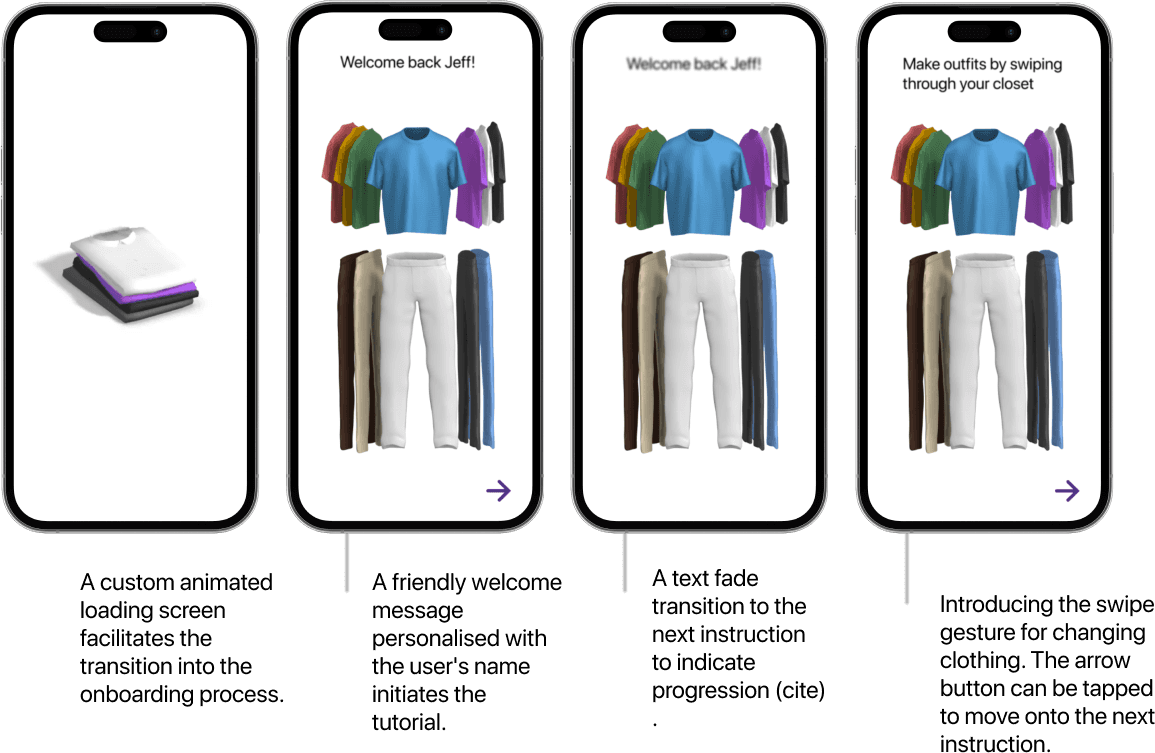
Users start a simple tutorial the first time they enter the app to help them get started.
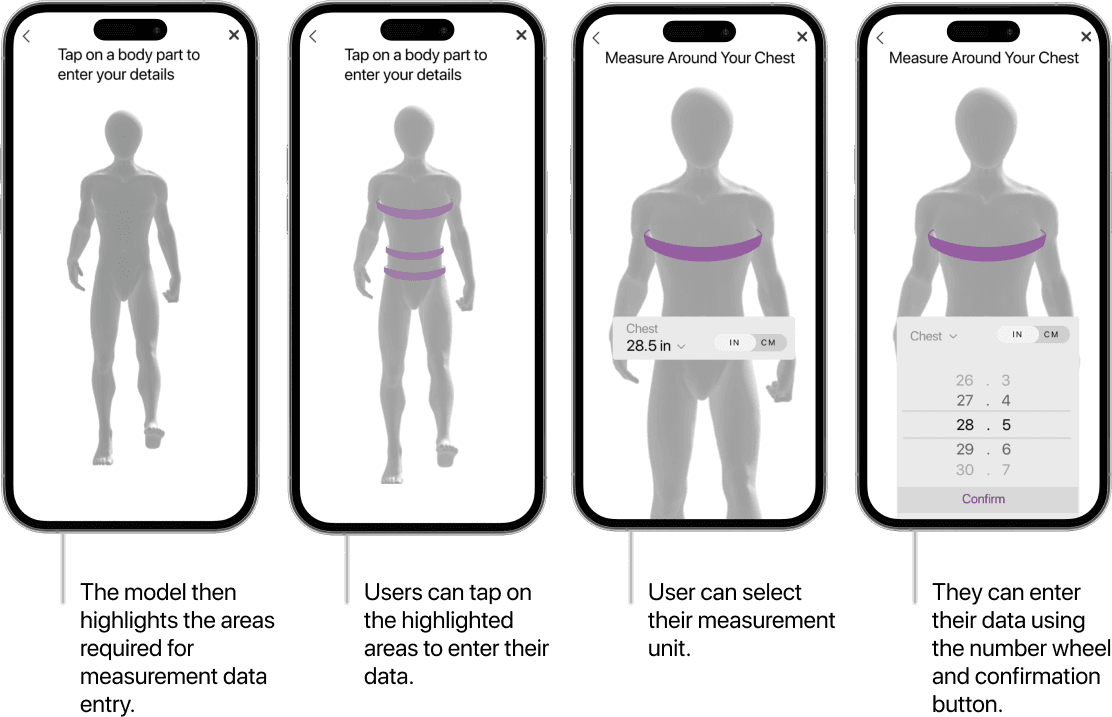
Measurements
Users enter their measurements to create help them find clothing which fits them and to create a mannequin with their sizes.
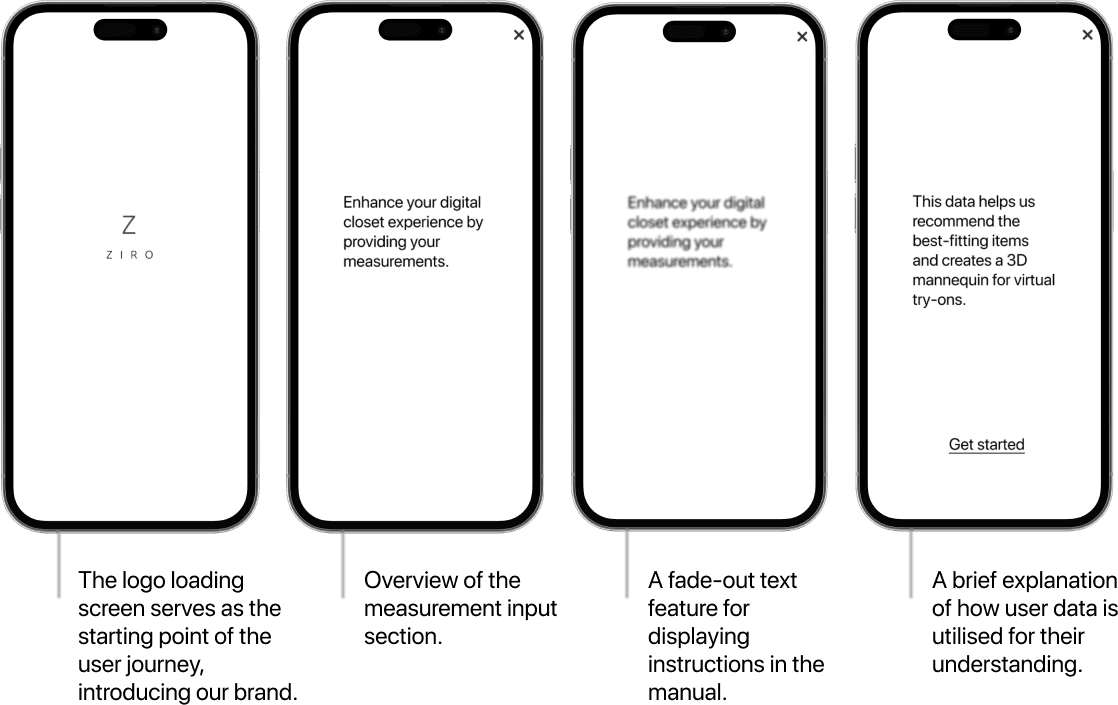
Measurements
Users enter their measurements to create help them find clothing which fits them and to create a mannequin with their sizes.




Over-consumption and Consumer behaviour
Unsustainable Material Production
Emerging Tech Solutions
Fast Fashion's Impacts
Market Analysis
Initial research to learn and understand deeper about the topic of Fast
Fashion through Primary Research avenues of Online Ethnography, Surveys,
Interviews and Secondary Research involved reviewing a combination of
Academic Literature, Industry Reports, and Case Studies.
Background
Research
Surveys
Interviews
Online
Ethnography
Research




" transform="translate(5 5)" width="35.50471602542302px"/></svg>)
" transform="translate(5 5) rotate(1 14.875 16.653)" width="29.750962170972343px"/></svg>)
Trian
gulation
We used Lens Studio because it offers templates specifically designed for clothing try-ons, enabling us to create a prototype that is compatible with smartphones.

1
2
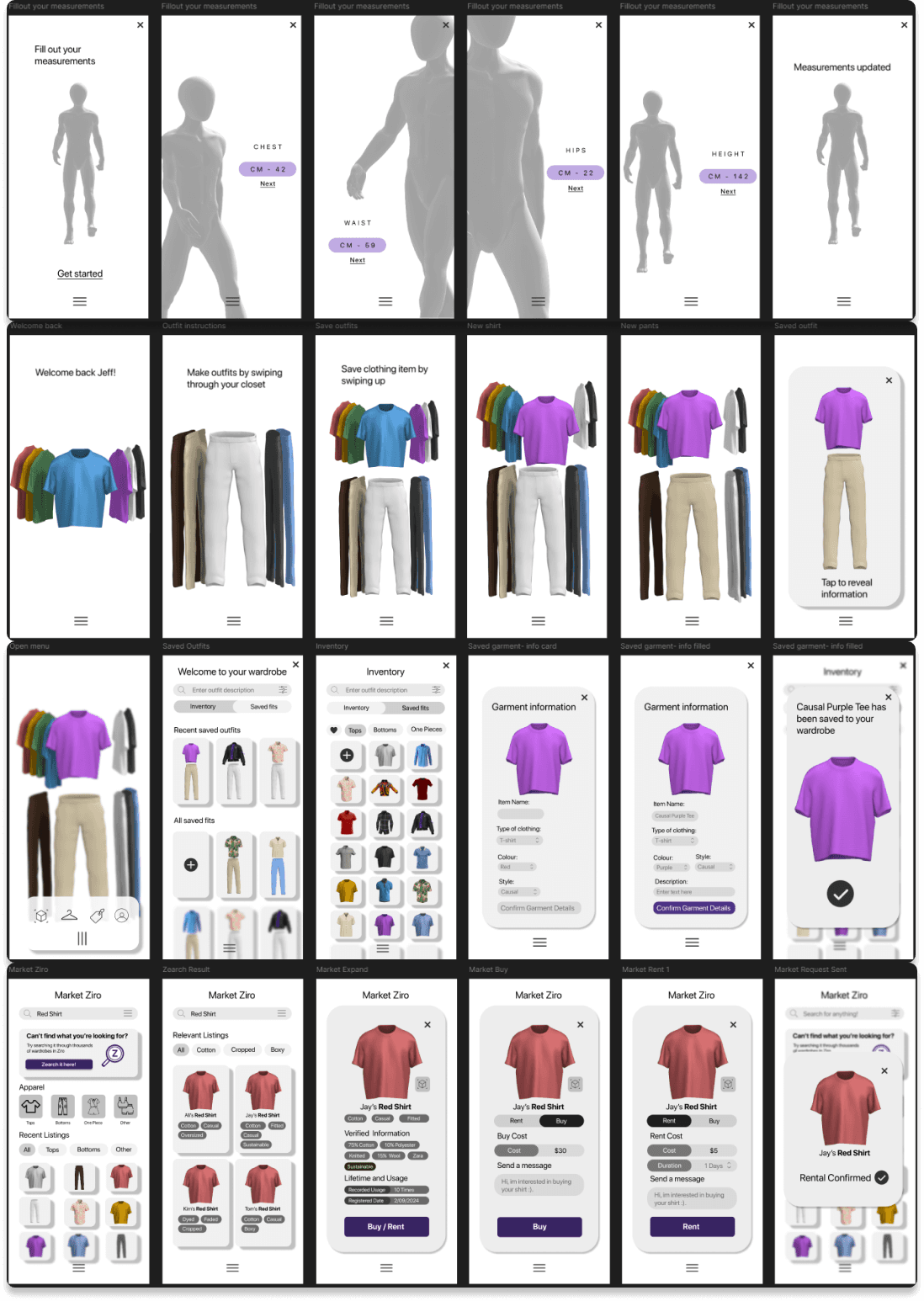
Tap through Tutorial
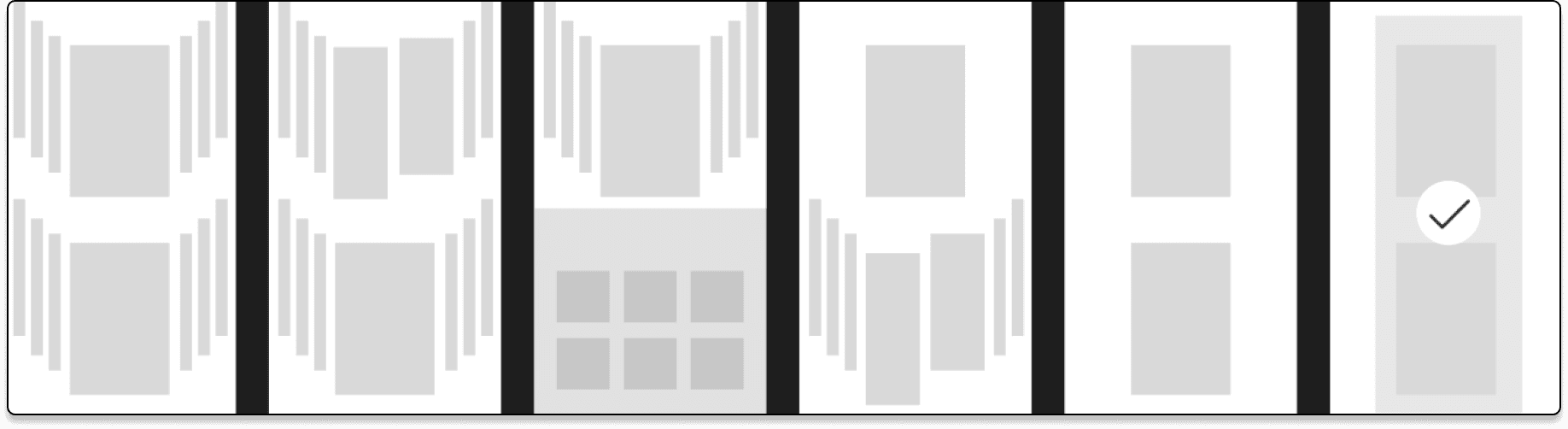
Swipe left and right on Carousel
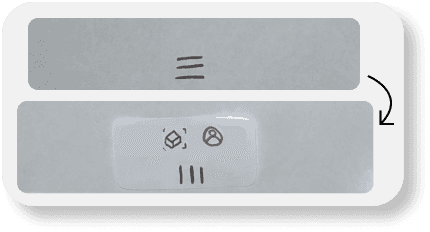
Swipe up to Save fit
Tap through navigation bar to Inventory/Saved Fits
Tap “+” button to add new items into wardrobe
Enter details on recently added item
Confirm new clothing
Tap through navigation bar to Marketplace
Search and Enter or tap the “Red Shirt”
Select Rent or Buy shirt
Confirm action
Tap “Next” through Tutorial
Tap “X” to go back Tutorial
Enter Measurements
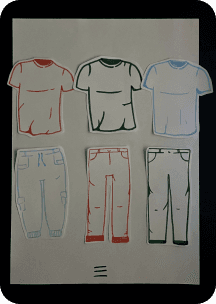
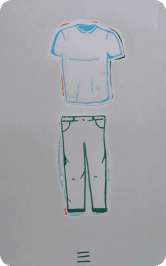
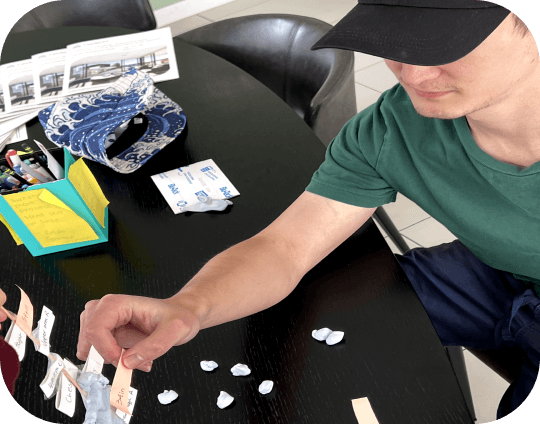
The wardrobe, being a key component of the application, warranted early paper testing. As this would be the main screen where users could plan and view their outfits, it was necessary to trial its usefulness and gather feedback for further development.
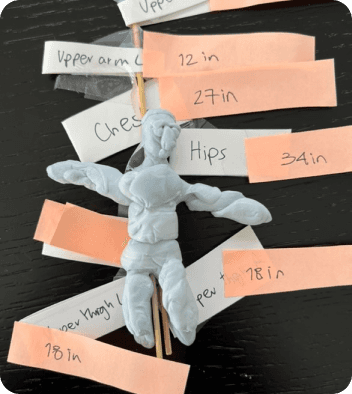
The reason for the play doh prototype testing is rooted in its capacity to validate the AR concept of creating personalised avatars based on real user measurements for virtual try-ons.
Saved Clothing
Market
To collect both qualitative and quantitative data, semi-structured interviews were conducted alongside surveys for each of the five participants. Paper prototypes allow users to interact with the "screen" in a tangible way, offering insights into the usability of the wardrobe feature.
Testing
The application's UI was designed using Figma and includes key features: an outfit creation tool, a inventory for organising saved outfits and newly added garments, and a marketplace with two search bars one for browsing the market and another for searching users' closets. Users can tap on saved outfits or clothing items to view detailed information, such as material composition, colour, styling, brand, and eco-status. The app introduces innovative interactions for outfit creation, including a 3D wardrobe carousel for swiping between tops and bottoms, and a swipe up action to save outfits. A hidden burger menu minimises screen clutter and reduces cognitive load. The AR try-on feature is accessible via individual clothing item cards, with an AR scan option to add new garments in the main navigation menu.
Mid Fidelity- Figma
The front camera try-on feature is an AR experience closely linked to the low-fidelity prototype. Users can press a button in the app to access this page, where their camera and environment are utilized to project a 3D model of their fit.
The back camera model view is an AR experience added to this prototype to provide an additional perspective for displaying clothing. It tracks the user's body and overlays the clothing, highlighting how it looks from all angles. Users will need to position their phone to record themselves or stay close enough to see themselves on the screen.
It uses AR to demonstrate how the scaled model, based on the user’s measurements, fits with the clothes they are testing. This feature assists users in several ways, including:
Fit sizing testing
Colour testing
Poses
360 degree viewing of the clothing
Issue detection: identifies potential problems with clothing prior-purchase
It uses AR to show the user how their fit will look on themselves whilst still being able to move around. This helps the user in a multitude of ways including:
Fit sizing testing
Colour testing
Feature testing: considering user features, such as skin tone, that sizing alone can’t represent
Garment carousel
360 degree viewing of the clothing
Issue detection: identifies potential problems with clothing prior-purchase
Mid Fidelity- AR Mannequin Prototype
Mid Fidelity- AR Try-On Prototype
Purpose
Purpose
After creating our mid-fidelity prototype, we moved to the testing phase. With new features, concepts, and a detailed UI and AR system, it was essential to have credible users assess our work. We conducted testing at our cohort’s UX testing fair, where designers and experts provided valuable feedback on the prototype’s usability and feasibility, particularly in UI and UX design.
Testing
To collect both qualitative and quantitative data, semi-structured interviews were conducted alongside surveys for each of the five participants. Paper
prototypes allow users to
interact with the "screen"
in a tangible way, offering
insights into the usability
of the wardrobe feature.
Early Wireframes
Paper and Play-Doh Prototyping
Semi Structured
Interviews
Think Aloud
A/B Testing
Heuristic Evaluation
UX Testing Fair
Measurements
Tutorial
1
2
Interviews
Mood Board
Surveys
User Testing
3
4
Prototyping
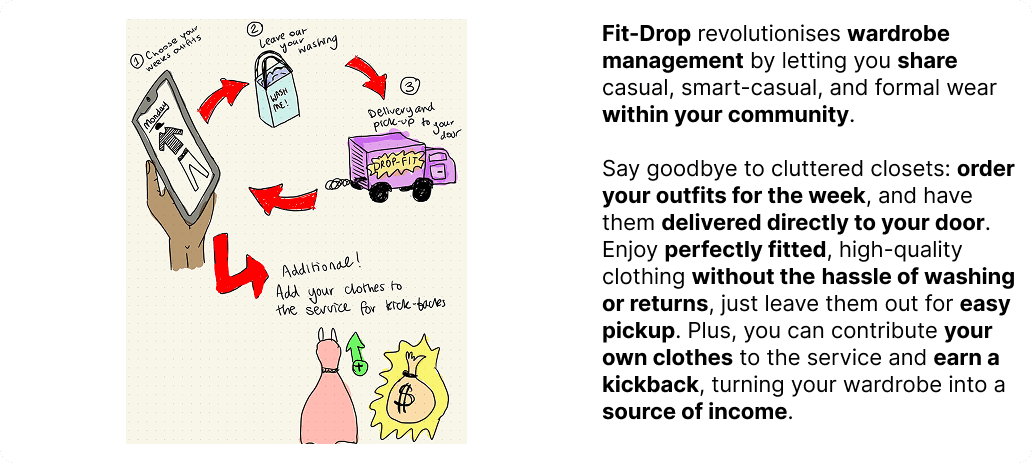
Share clothes with community
and make money
Fit-Drop
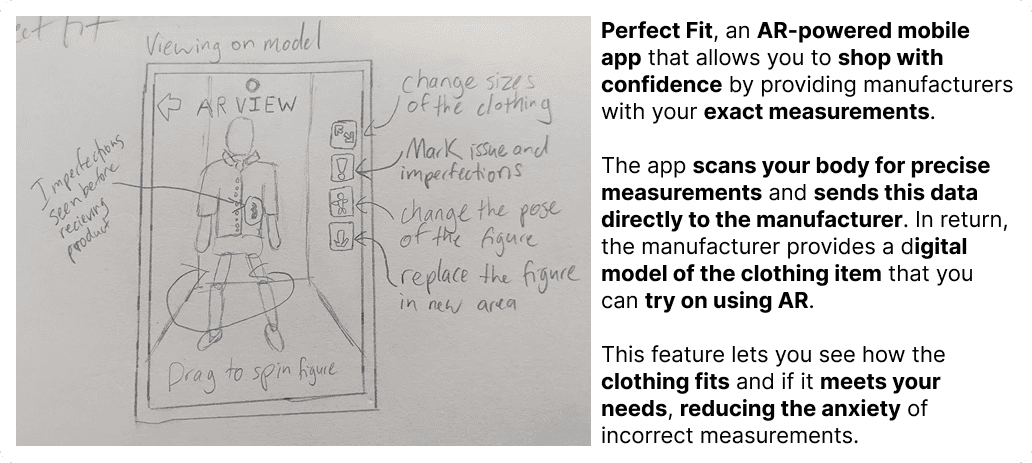
Perfect Fit
AR app to get perfect measurements when buying clothes
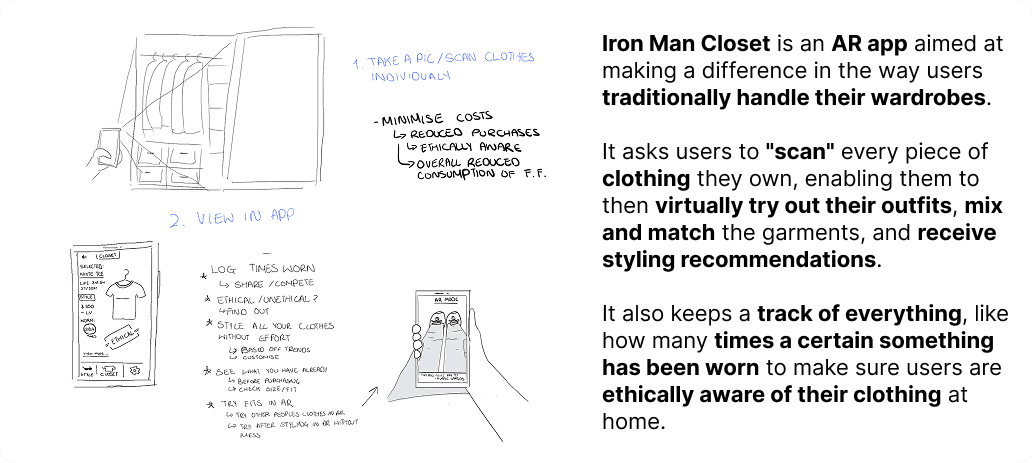
An AR waredrobe where you scan
and keep track of your clothing
Iron Man Closet
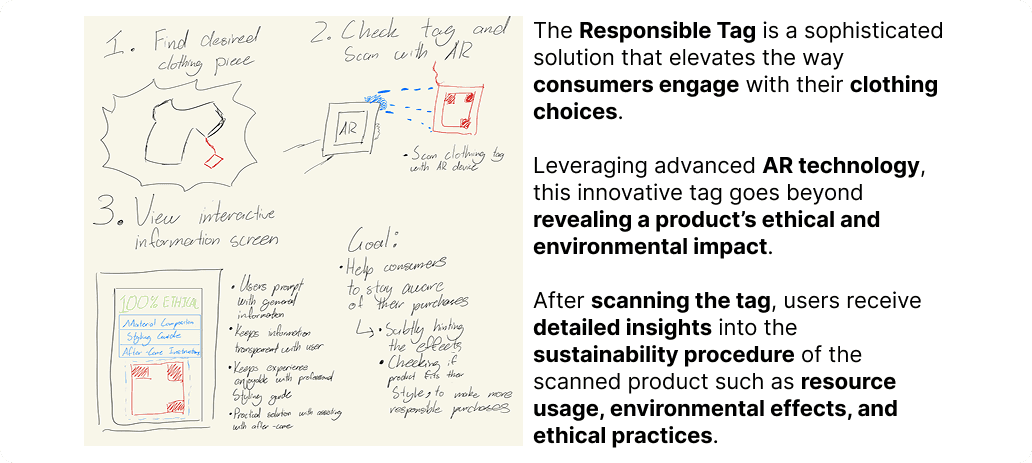
Responsible Tag
A clothing tag that reveals the ethical background of the clothing
Product Video
Promotional Video
Back To Top
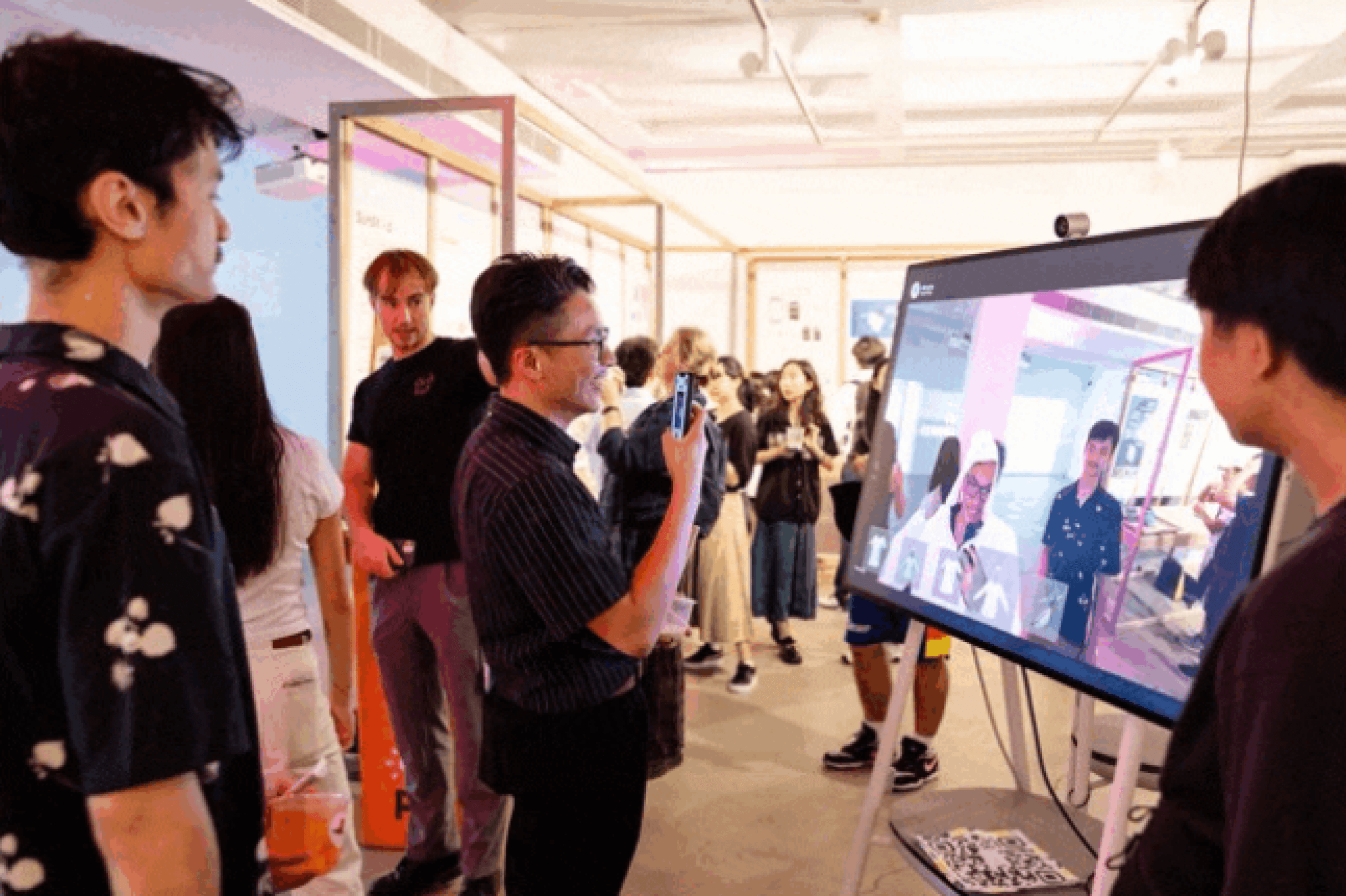
A TV with a camera with the AR clothing Try-On feature which people can try out
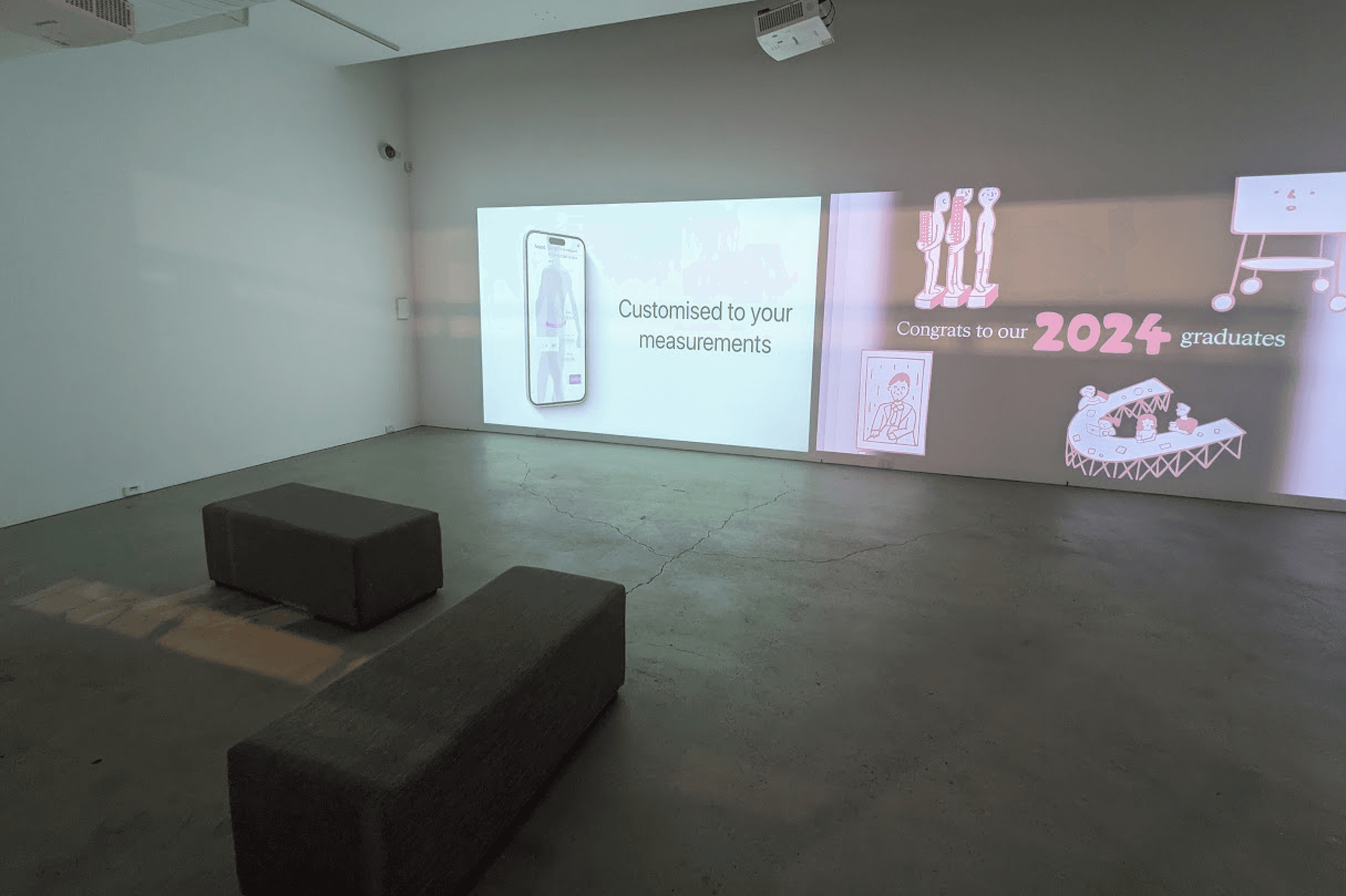
A projector showcasing our video showcasing the features of ZIRO (Same as first video below)
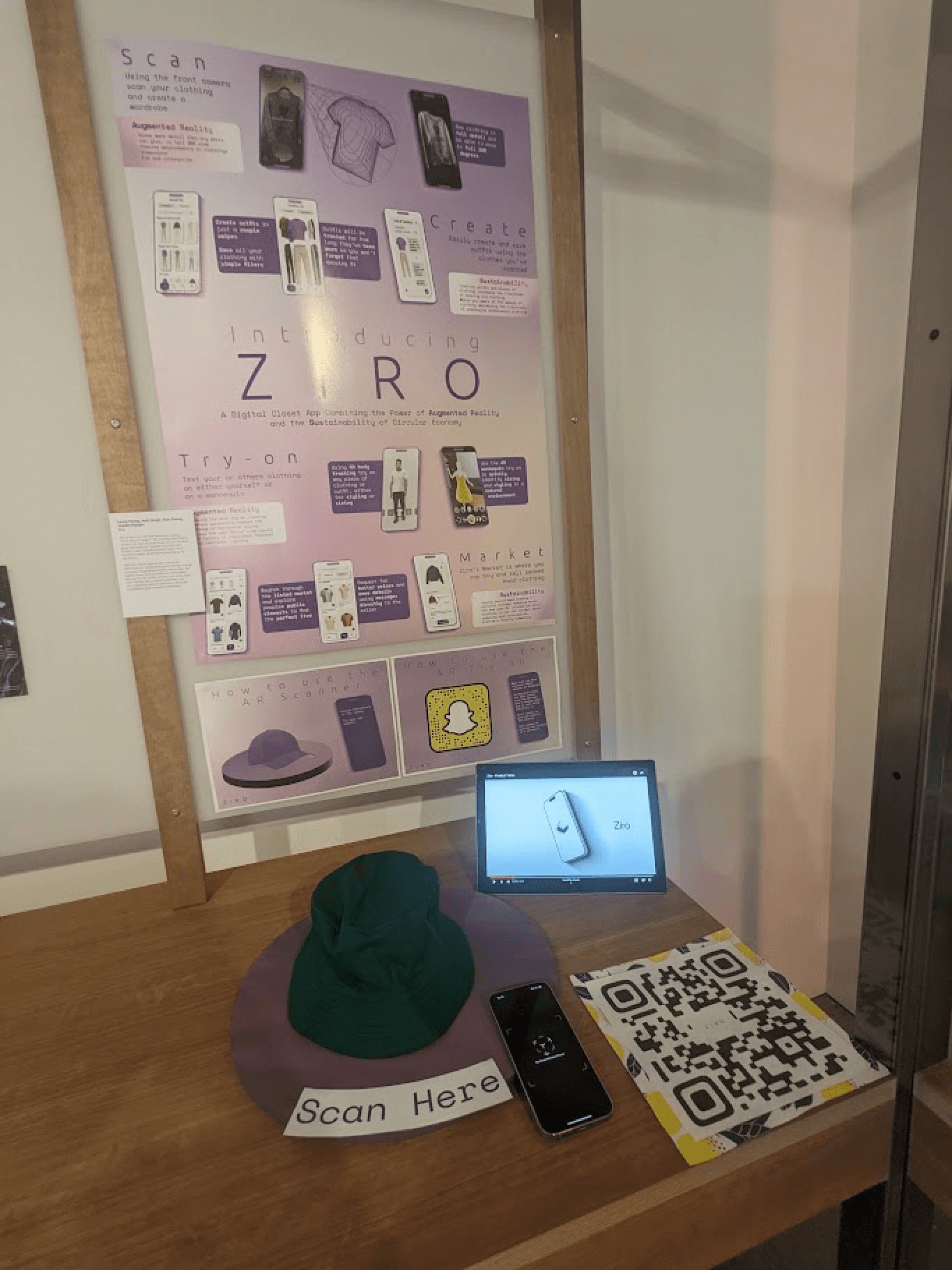
A stall with a demo of the Clothing Scanning feature along with a poster describing ZIRO
Ziro Videos